
Three Kinds of Prompt Engineering To Do Just About All Your Comms (Intellicomms: 2/5)
The authority on mixternal comms


In part one of this five-part series I introduced the concept of prompt engineering for for chatbots as a tactic to become more effective, creative, efficient, and productive in your role as a communications professional.
Reminder: Prompt engineering involves designing and crafting effective instructions to achieve desired responses from chatbots. It's critical for fine-tuning and controlling the tool’s behavior and output.
Here in part two I use practical comms examples to explain three basic types of prompt engineering that you can put into practice today.
Let’s Prompt Together
Learn alongside me.1 Open another tab and access ChatGPT. (If you haven’t done so already, create a free account—super easy and fast.) You can do the prompts alongside me, so you can see the tool in action.
FYI: All examples in this series are done using ChatGPT.
Note: Your outputs will differ from mine because ChatGPT parses different materials in different orders every time it is prompted. (That’s why if you don’t like an output you can hit the “regenerate” button repeatedly until you get something you like.)
Let’s begin with simple prompting before moving on to two more sophisticated—but super easy—methods of prompt engineering.
Simple Prompting
Say your company is launching a new product called SmartCart and your CEO wants to let employees know about it. Ask ChatGPT to introduce SmartCart:
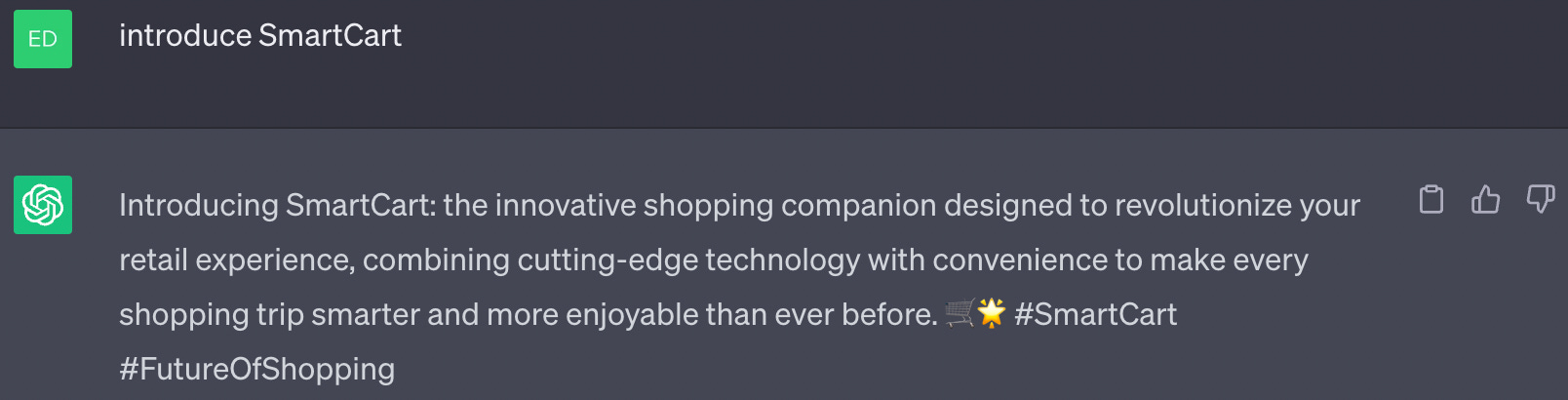
It’s not bad, but it’s wrong. It’s not ChatGPT’s fault, though. It doesn’t know that, in our fictional scenario, SmartCart is actually a small robotic vehicle that autonomously delivers groceries and meals to your home. So for the next prompt, let’s include that information.
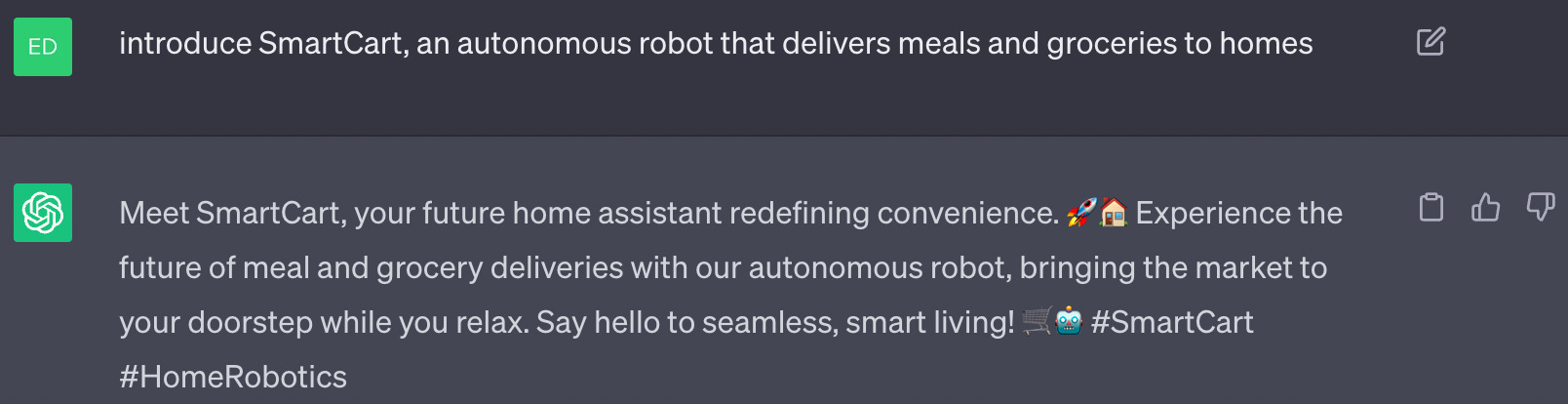
Much better. But there are a couple of things wrong with this intro. It’s written as if it were a tweet because it has hashtags and emojis. We want an email intro.
You also know that your CEO is a bit conservative in the way he presents himself, like, say, Google CEO Sundar Pichai. Would Pichai (or your CEO) use an exclamation point?
We need to provide a little more context for ChatGPT to get a suitable medium and tone.
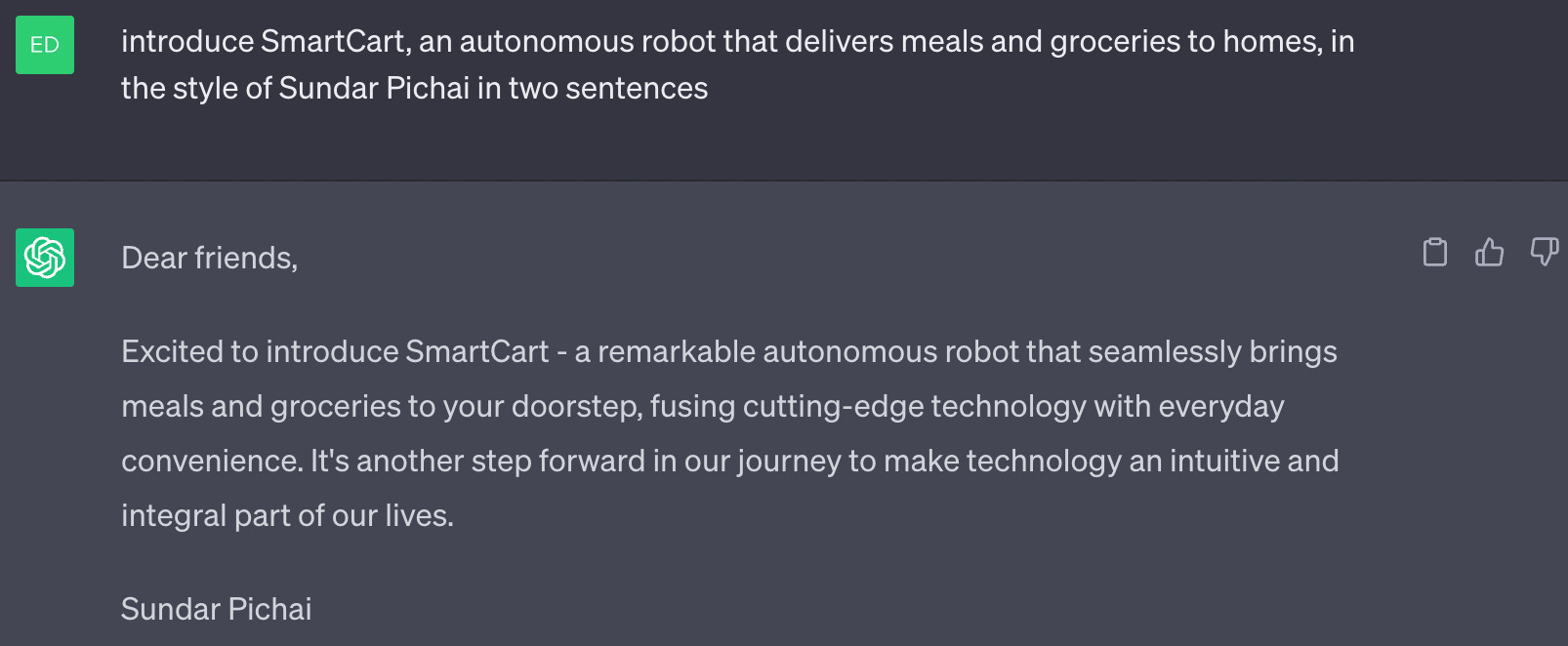
Look at that! No hashtags or emoji…or exclamation points. And now you have something to work with, a draft to shape into the message you need to share with employees. And it took only seconds to complete.
Congratulations! This process of refining the prompt to get the output you need is… prompt engineering!
Rarely will you write the perfect prompt on your first attempt.
With practice and by employing different tactics, you will become very good at prompt engineering, and therefore more efficient and productive in your role.
Next, let’s learn how to get ChatGPT to do the boring, annoying tasks we all get bogged down with on a daily basis.
Instruction Prompting
You can instruct generative AI to perform a variety of annoying and tedious tasks, so you can get back to doing more meaningful work.
Here’s a simple example. Let’s say someone submitted a blog post with a headline that’s in sentence case instead of title case, your style preference. Ask ChatGPT to correct the transgression:
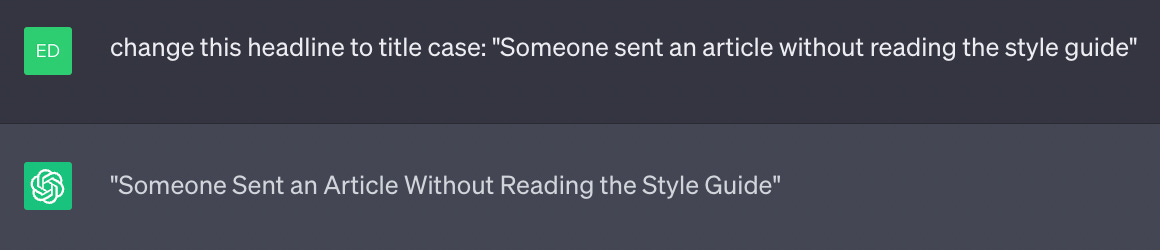
Copy/paste the fixed headline and get back to work.
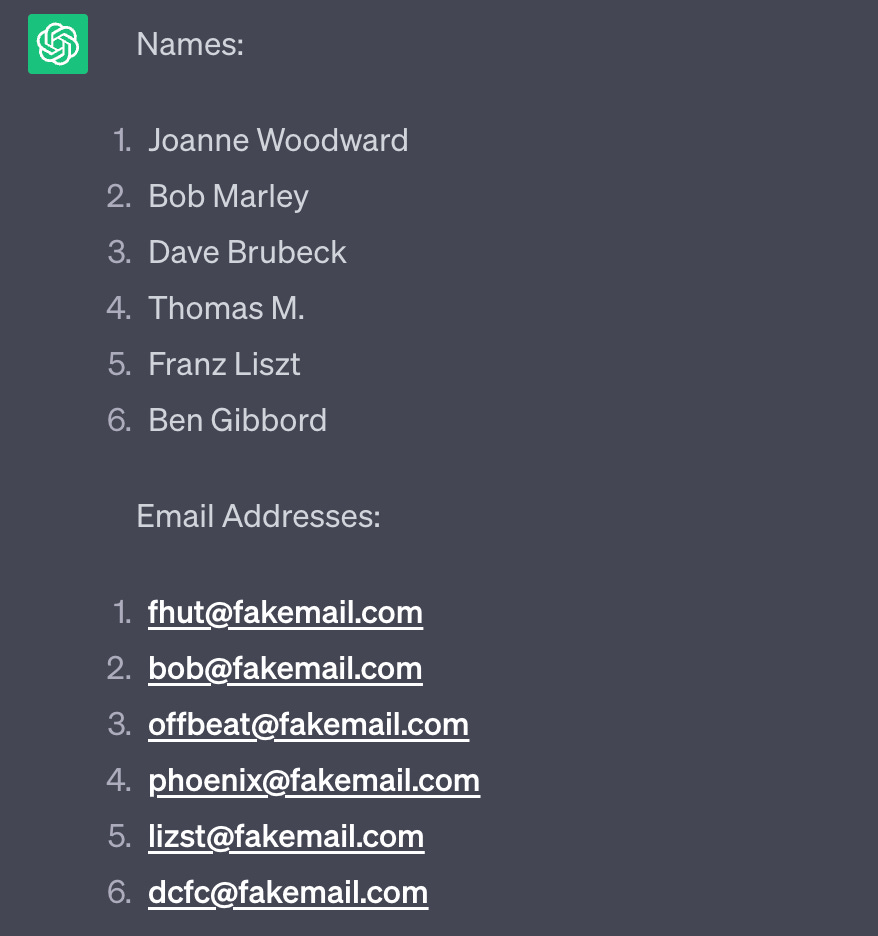
How about an example of a more annoying task: Say you need to extract the email addresses from a list someone sent to you. Here is the prompt:

And here is the output:
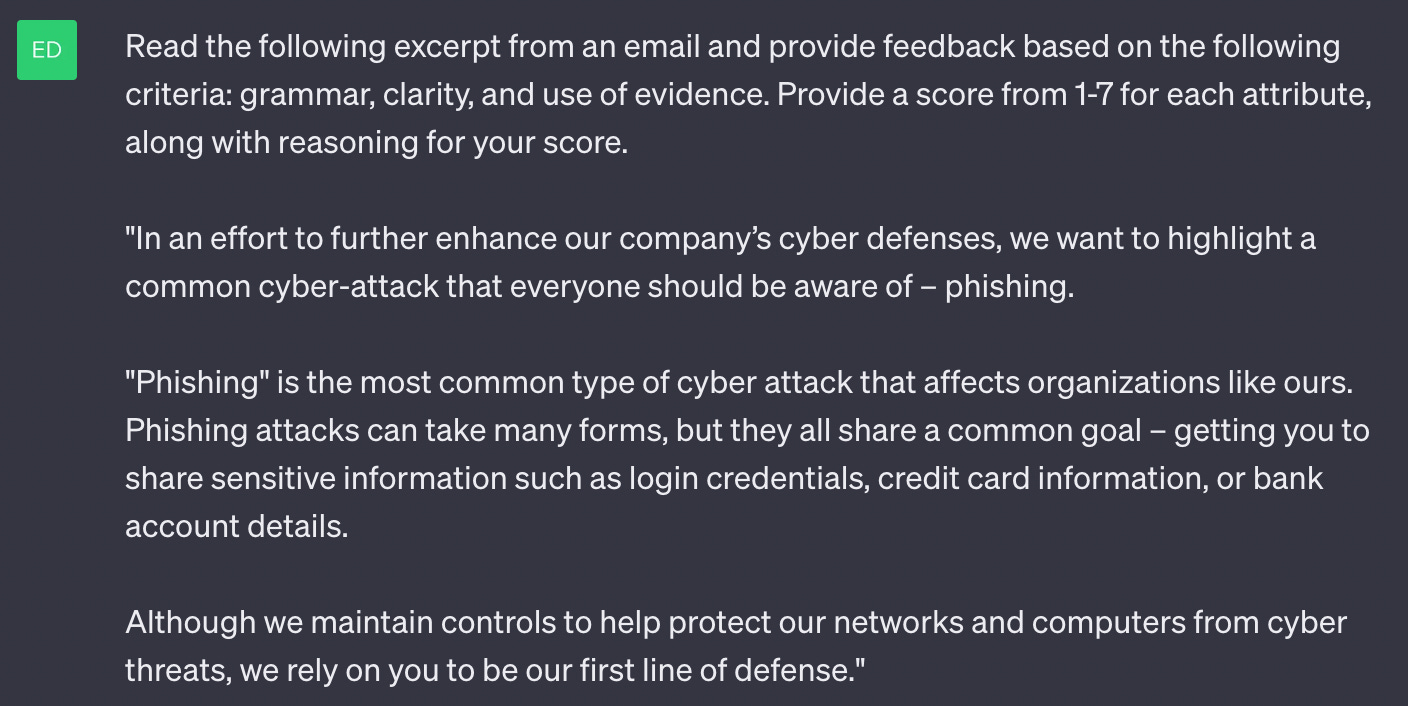
If you’re hiring to fill a role and give candidates a writing test, you can ask ChatGPT to score their samples. For example, let’s say you tasked the recruits with writing an email that explains the dangers of phishing. You can ask ChatGPT to give an initial assessment based on specific criteria, which gives you a head start in separating the weak writers from the strong ones.
Here’s the prompt:
And the result:
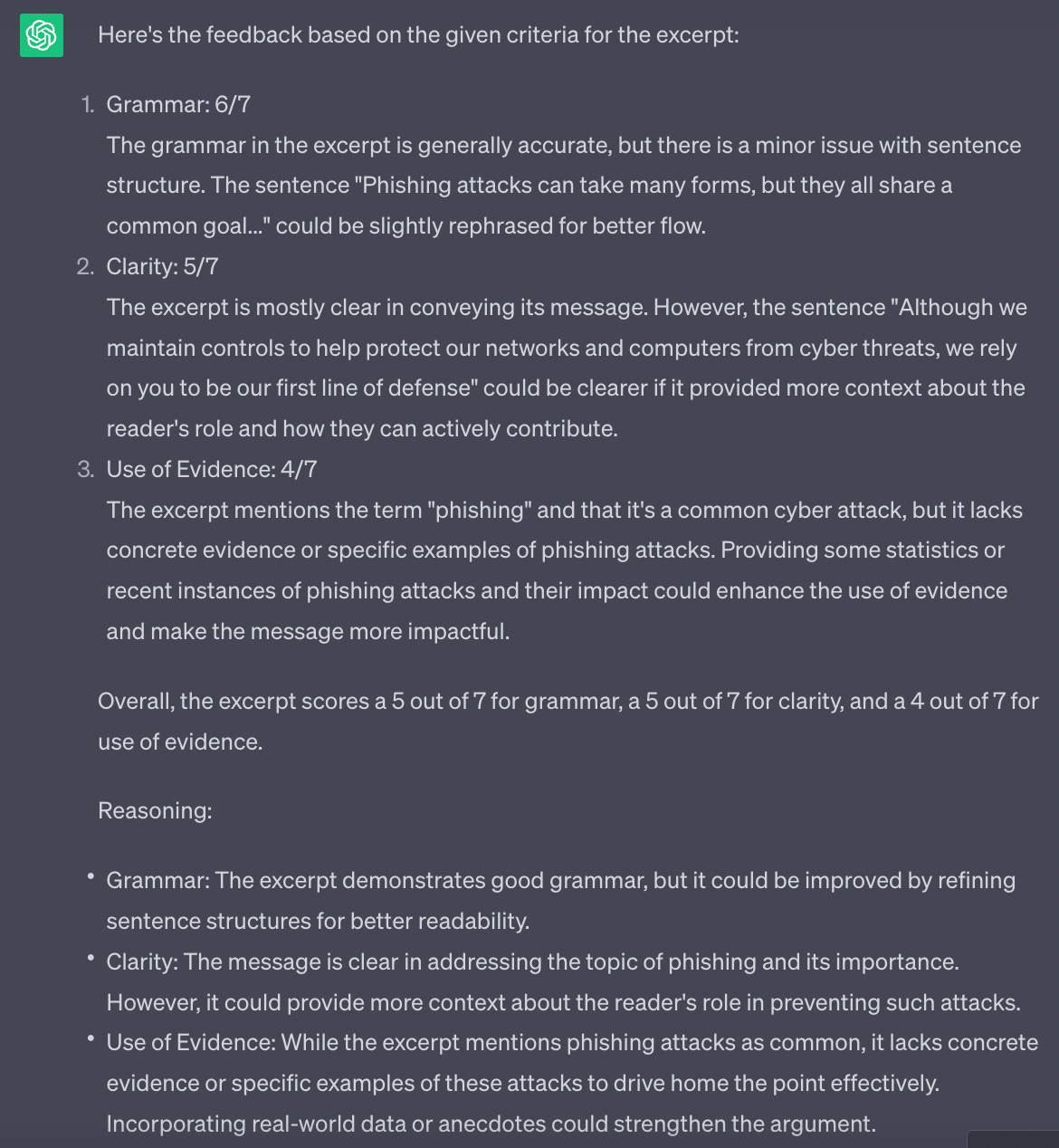
To sum up this section, instruction prompting is all about giving generative AI a task or some direction. Tools like ChatGPT can handle very complex instructions, so don’t be shy about experimenting with onerous, multi-step processes.
The next tactic we’ll learn tests your creativity.
Role Prompting
Role prompting is a technique where you assign a specific role or persona to the AI model to better control the style and output. It’s as simple as asking the generative AI to pretend to be the head of HR or an industry journalist.
Use role prompting when you want a certain style or tone in the response, or if you want the AI to pretend to be someone generic (airline CEO) or specific (Anthony Bourdain).
Let’s use the release of a new product as an example of how to use role prompting.
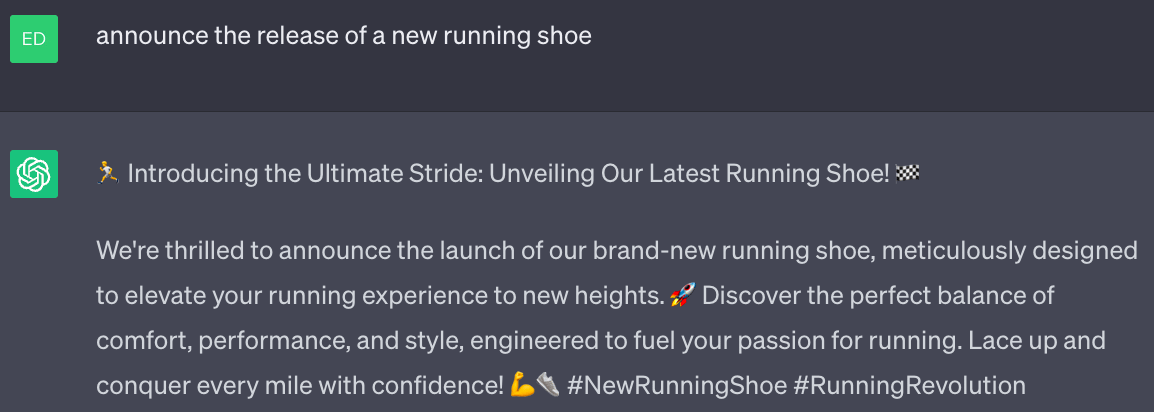
Not a bad start.
🤷 For some reason, ChatGPT often answers my initial writing prompts with tweets.
Let’s see what changes when we ask the AI to assume the role of head of sales:
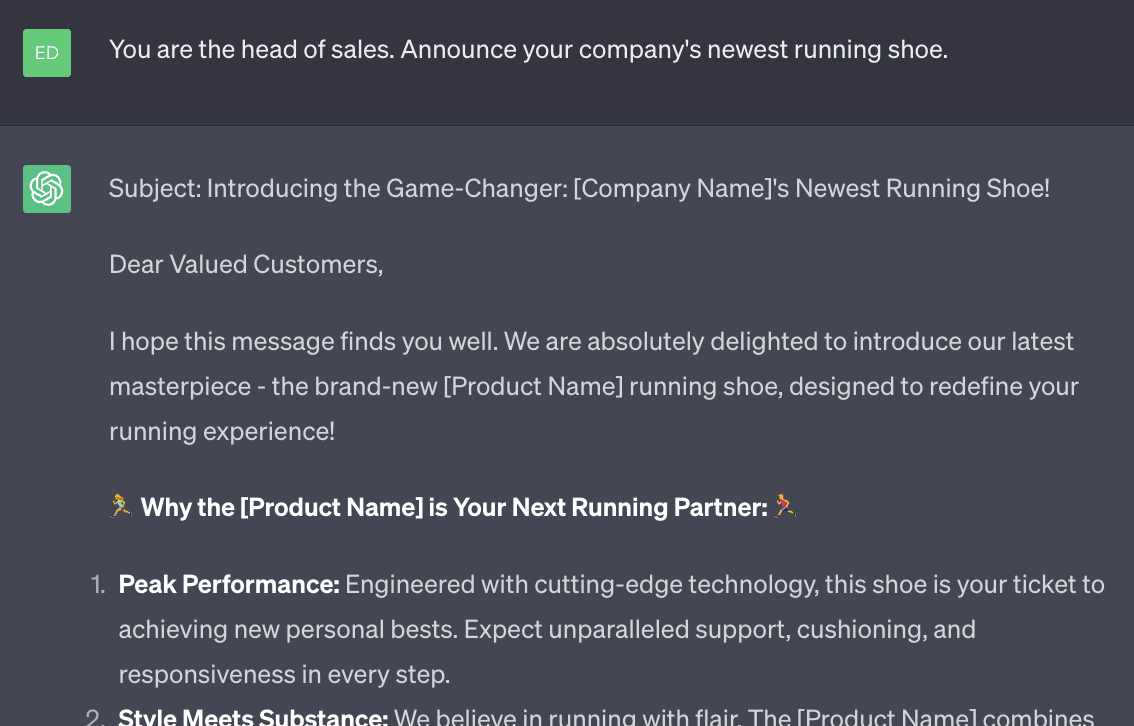
ChatGPT spits out a lengthy email with a lot more detail. The tone is mixed, starting with the unnecessarily trite “I hope this message finds you well” with a few emoji and exclamation points thrown in for fun and excitement.
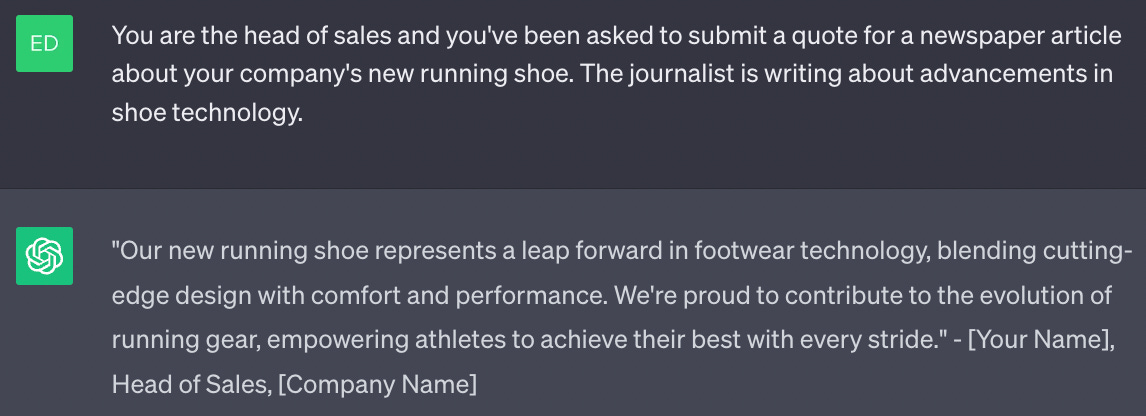
Let’s go a bit further and ask the bot to assume the role of head of sales talking about the new shoe to a reporter who is writing a story on shoe technology.
You can get even more precise to match the personality of your stakeholder.
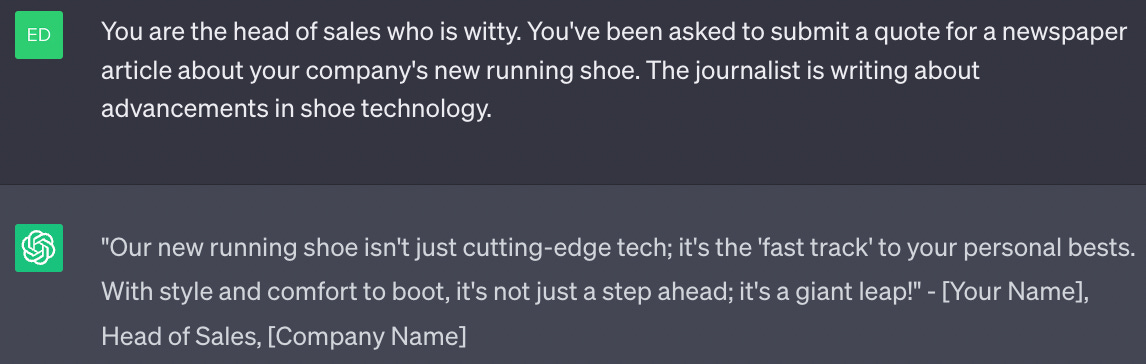
Role prompting is a fun tactic you can use to shape the output of generative AI. It allows you to control the style, tone, context, and parameters more precisely to deliver material in ways that are relevant to your stakeholders.
You’ll see role prompting come up again in this series.
For an excellent use case on how to use role prompting for internal comms, listen to Carolyn Clark’s example of how she uses ChatGPT to get in the minds of employees (@26:40):
In part three (forthcoming) I give real examples of how to effectively use prompt engineering for everyday comms tasks, such as writing and responding to emails, crafting blog posts and press releases, incorporating different writing styles, and more.
I give credit to the team at Learn Prompting for helping me understand and break down the basics of prompt engineering for comms pros.
Thank you for being a part of Mister Editorial.
Read past editions of Mister Editorial here. If you’re enjoying what you’re reading, please consider recommending it to others. They can sign up here.
Have feedback? Send me a note at editorshaun@gmail.com. Connect with me on LinkedIn and Twitter.
Disclaimer: Besides running Mister Editorial, I am the editor-in-chief of Digital Publications at Lam Research. The views in this newsletter are my own.